 No More DPI
Gets sites that your network blocks or slows down with deep packet inspection working again, for every app on the PC. You list the domains; only those go through byedpi. No VPN, no proxy setting in each app.
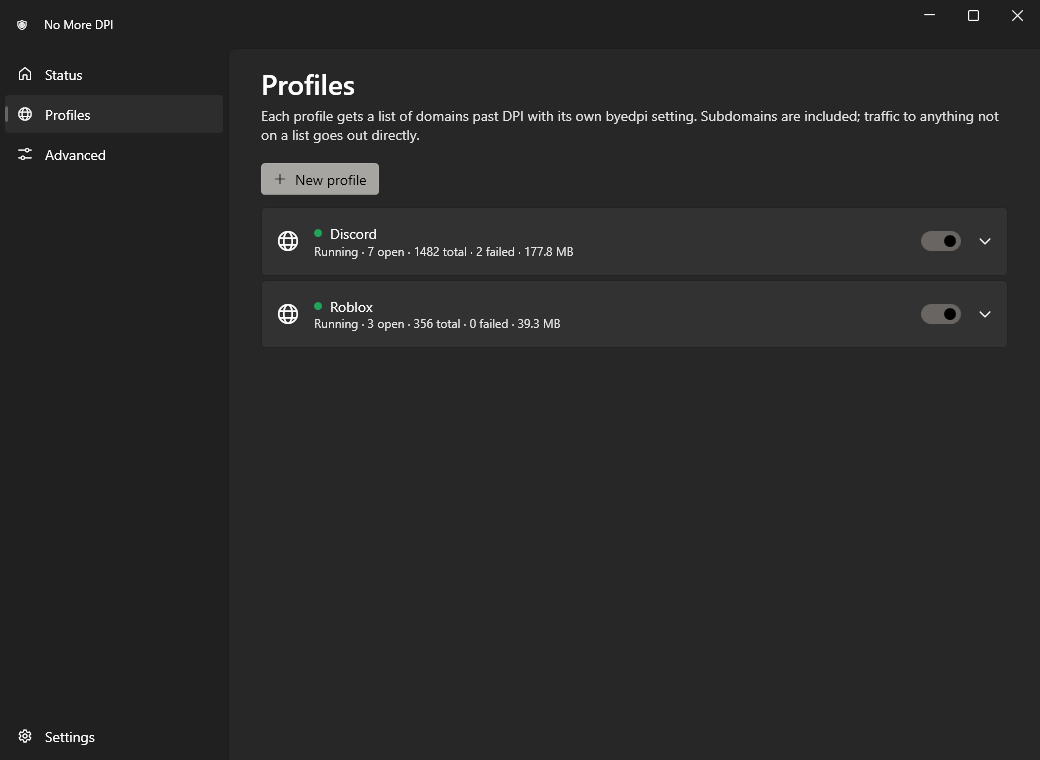
Discord and Roblox profiles are included and turned on.
Download 1.0.0
| File | NoMoreDPI-1.0.0-setup.exe |
|---|---|
| Size | 70.3 MB |
| Released | 3 November 2026 |
| System | Windows 10 1809+ or 11, x64 |
| License | Free, MIT |
Release notes · All releases · Source code
The installer is not code-signed. If SmartScreen says it “protected your PC”, choose More info, then Run anyway.
What it does
- Per domain, not per app
- The Discord app, your browser and Roblox all follow the same rule. Subdomains are included.
- Leaves the rest alone
- Only listed domains go through the bypass. Other traffic goes out directly, unchanged.
- Encrypted DNS
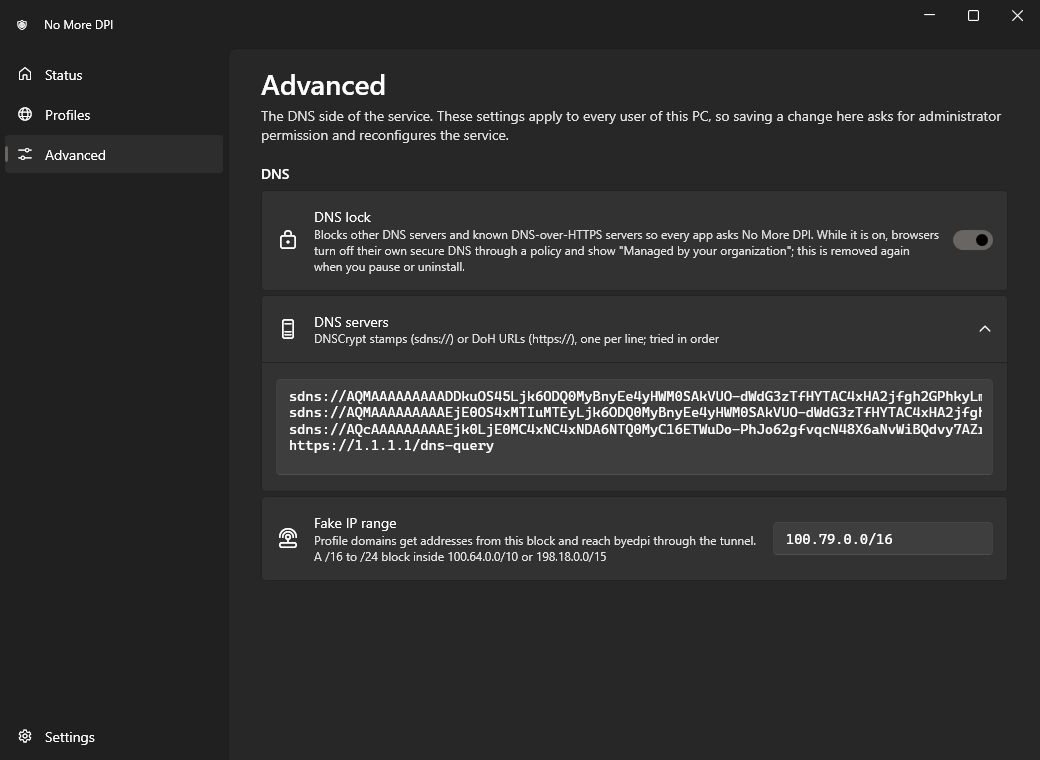
- Names are resolved over DNSCrypt or DNS-over-HTTPS, so the network cannot tamper with the answers.
- Auto-find
- Tries known byedpi settings on your current connection and keeps the first one that works twice in a row. Run it again on a new network.
- Fails open
- If the service crashes or is stopped, DNS goes back to what it was. Your internet does not go down with it.
- Nothing phones home
- No telemetry, no accounts, no update checks.
How it works
- The service points each network adapter’s DNS at its own resolver on
127.0.0.1and::1, which asks Quad9, AdGuard or Cloudflare (by default) over DNSCrypt or DoH. - A name in a profile gets a fake address from
100.79.0.0/16. Only that block is routed into the Wintun adapter. - Connections arriving there go to that profile’s byedpi, which connects to the real address and reshapes the start of the TLS handshake so DPI no longer recognises it.
- For profile domains, QUIC is dropped so browsers use TLS over TCP, and IPv6 answers are withheld.
Details: ARCHITECTURE.md.
Screenshots
Tray icon
| Ring | Meaning |
|---|---|
| Green | Active |
| Grey | Paused, everything goes out directly |
| Red | Error, open the window for details |
| Yellow | The service is not running |
Requirements
| Windows | 10 version 1809 or later, or 11 |
|---|---|
| Processor | x64 only, no ARM64 build |
| Rights | Administrator, to install and to change machine-wide DNS settings |
| Runtime | Nothing to install, .NET is included |
Latest release
- System-wide, per-domain DPI bypass through byedpi, one process per profile.
- Encrypted DNS (DNSCrypt, DoH) with an optional DNS lock that keeps apps and browsers on it.
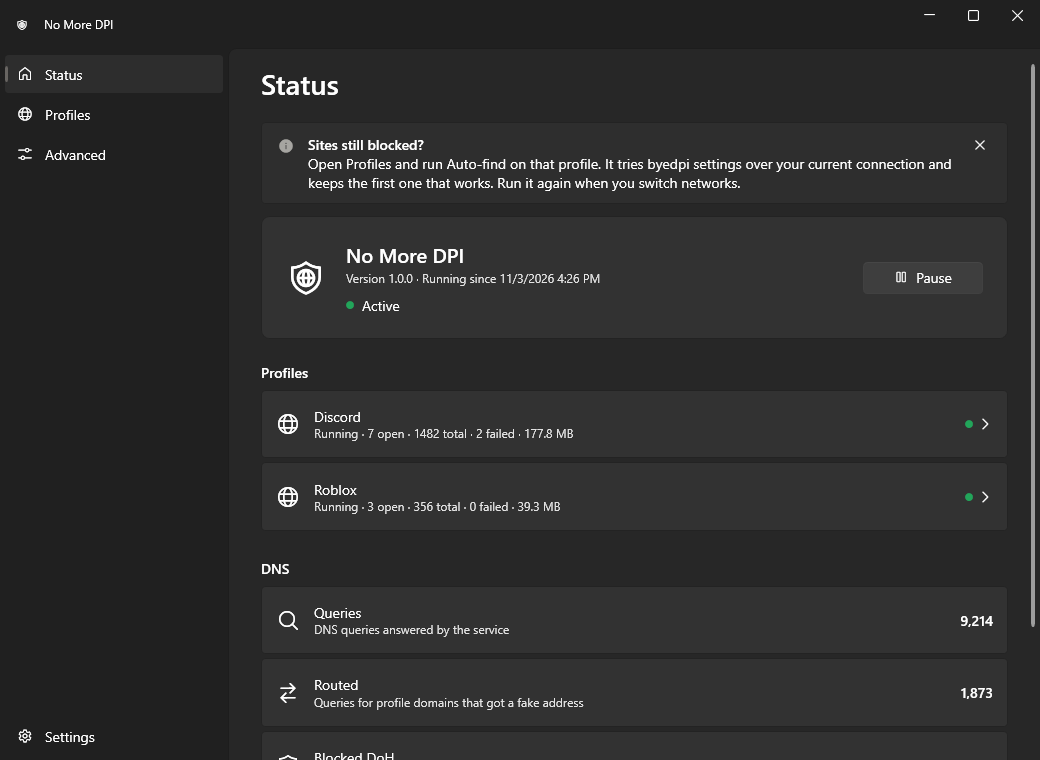
- Discord and Roblox profiles included; Auto-find picks a working byedpi setting for your connection.
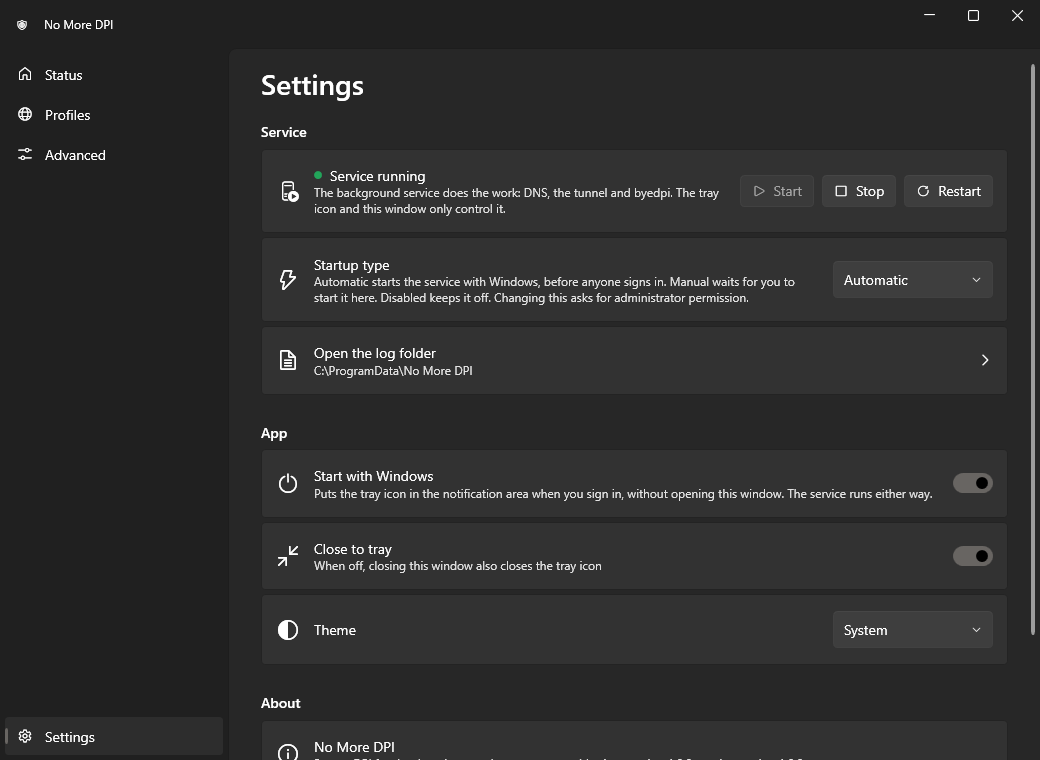
- Tray icon and settings window, with service control: start, stop, restart and startup type.
- Installer and uninstaller; uninstalling restores DNS and browser settings.
- Machine-wide DNS settings need administrator rights to change; profile arguments are limited to a fixed list of byedpi options.
| NoMoreDPI-1.0.0-setup.exe | 70.3 MB |
| NoMoreDPI-1.0.0-setup.exe.sha256 | 93 bytes |
SHA-256 eb565d45829ea12c1acd6a39ab10b2cc2acb5454da0e3101c8096a08a4cf76e5
Help
- A site in a profile still doesn’t open.
- Open Profiles and click Auto-find on that profile. Check that the site’s other domains (CDNs, APIs) are listed too; the service log names failed connections. Then restart the app or browser.
- Browsers say “Managed by your organization”.
- That is the DNS lock. It turns off the browsers’ own secure DNS by policy so they keep using No More DPI. It is put back when you pause, turn the lock off or uninstall.
- The status says Error.
- The Status page gives the reason. Often another program already uses port 53. Stop it, then click Resume.
- No internet after a crash.
- The service restores DNS when it starts again. If it can’t, run
"C:\Program Files\No More DPI\nomoredpi-svc.exe" restore, or uninstall. - Is it a VPN?
- No. Your network still sees which IP addresses you connect to. It doesn’t help against blocking by IP, and only TCP goes through byedpi; Discord voice and Roblox game servers are not routed, and are usually not blocked.
- How do I remove it?
- Settings → Uninstall No More DPI, or Settings → Apps in Windows. It removes the service, adapter, filters and policies and restores your DNS.